Remote lock for Android phones & tablets
All your devices. One code. Locked in seconds.
Lost your phone, left the tablet at school or want screens off at bedtime? Lock My Devices locks every Android device that shares your user code — from the app or right here on the website.
One-time purchase · No subscription · No account · Android 7.0+
- code for all your devices
- 1
- biometric data stored
- 0
- lock from any browser
- 24/7
- one-time payment, no subscription
- 1×
Set up in 2 minutes
Three steps to protect every device
- 1
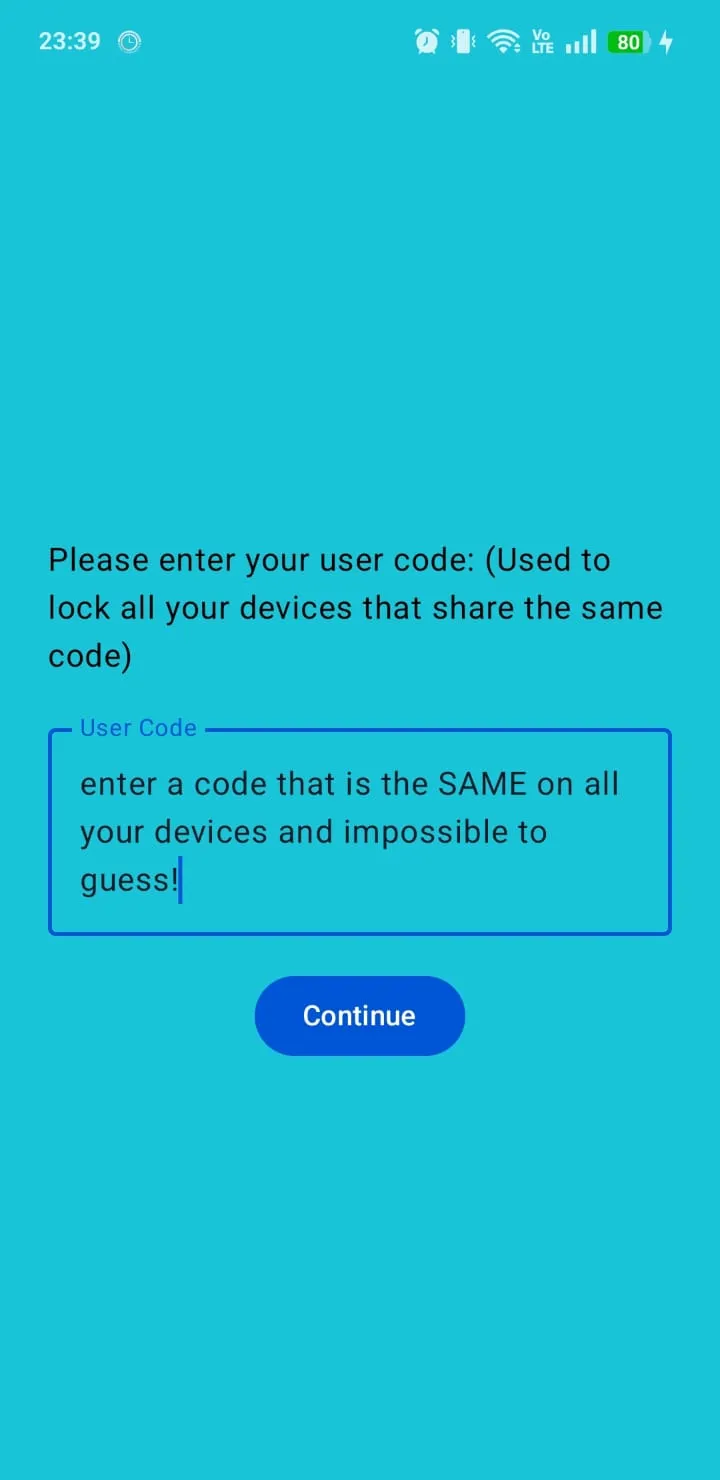
Install and enter one code
Install Lock My Devices on each phone and tablet. On the User Code screen type the same hard-to-guess code on all of them and tap Continue.
- 2
Grant lock permission
Tap Grant Device Administrator Permission. Android needs it so the app can turn the screen off and lock it — nothing more.
- 3
Lock any time, from anywhere
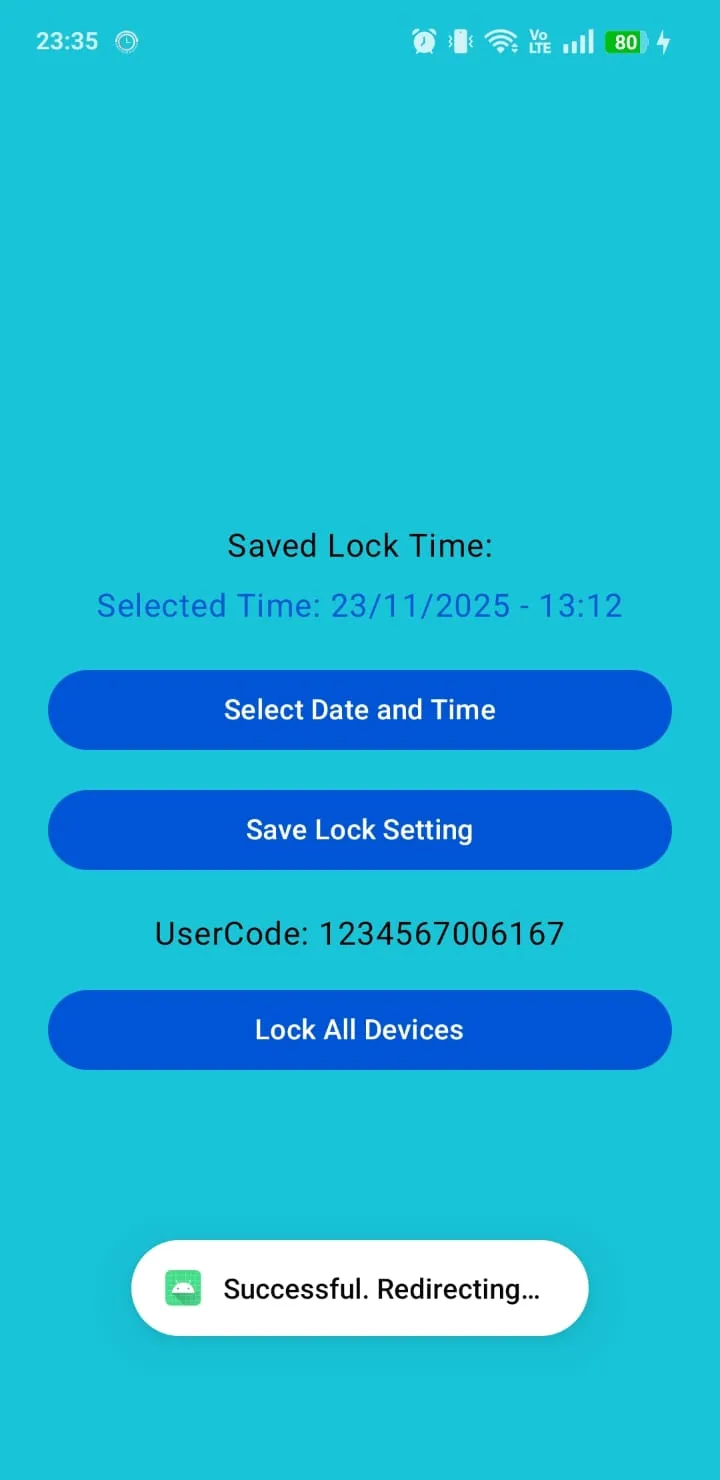
Tap Lock All Devices in the app, enter your code on this website, or schedule a lock for a date and time you choose.
Device not with you?
Lock it from this website — no app needed on this computer
Type the user code you entered in the app. We send a lock command to every device registered with that code, and their screens lock as soon as the command arrives.
- Works from any phone, tablet or computer
- Sent over an encrypted HTTPS connection
- Your code is never stored by this website
Ready to lock
All devices registered with this code will lock their screens.
••••
Hold to lock
Press and hold the button until the ring is full.
Sending the lock command…
Features
Simple tools that keep your screens locked
Lock My Devices does one job and does it reliably: it locks your Android screens when you need them locked.
-
Lock all devices at once
Every phone and tablet that shares your user code locks together with a single tap.
-
Lock from the web
No device at hand? Enter your code on lockmydevices.quansystem.com from any browser.
-
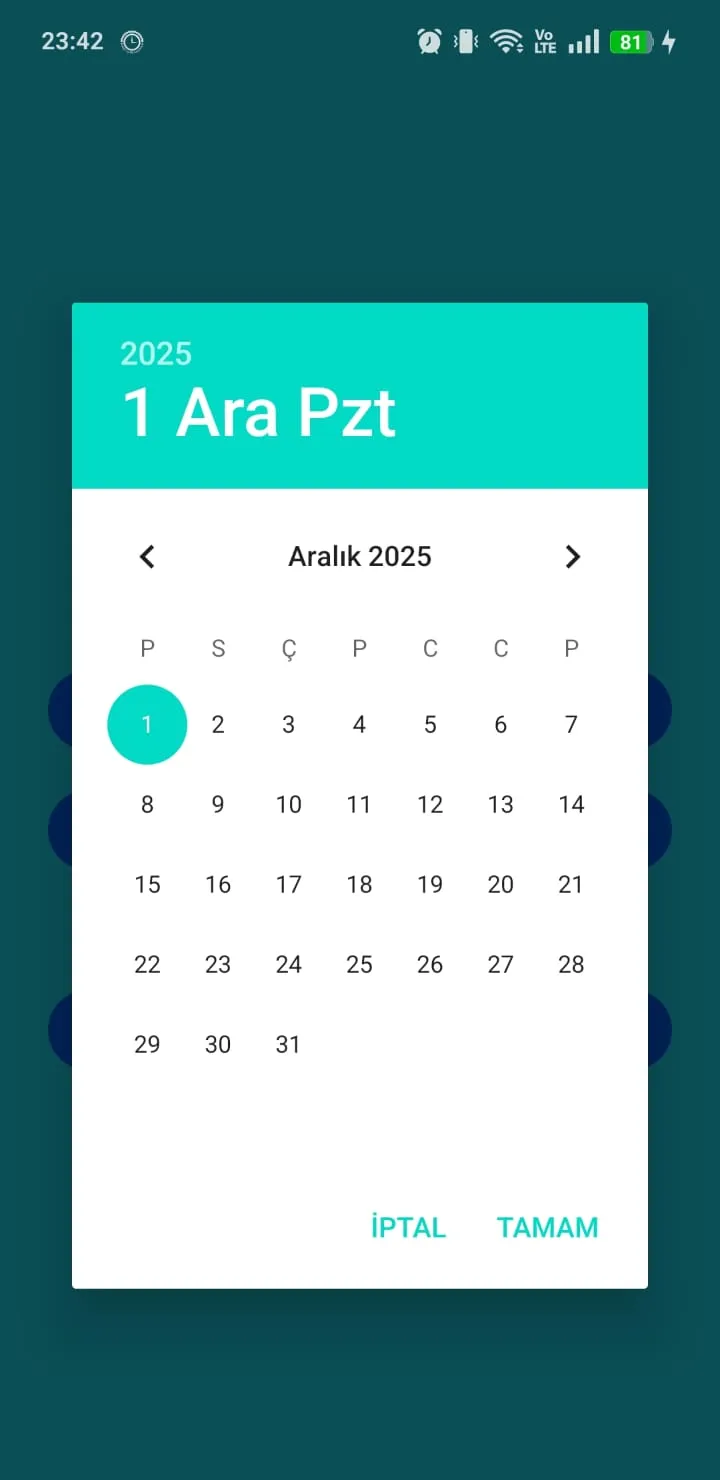
Scheduled lock
Pick a date and time; Android’s exact alarm locks the device right on schedule — even after a restart.
-
Biometric app access
The app opens only after fingerprint, face or screen-lock verification on the device.
-
Instant push delivery
Lock commands travel through Firebase Cloud Messaging, the same channel Android uses for notifications.
-
Minimal permissions
Device admin is limited to “force lock”. The app cannot erase, read or change your data.
When it helps
Made for real-life moments
-
Lost or stolen phone
Lock the screen first so nobody can open your messages, photos or apps while you search for it.
-
Bedtime for kids’ tablets
Schedule a lock for 21:00 so tablets go dark on time without a discussion.
-
Focus time
Lock your own phone for a meeting, exam or study session and remove the temptation.
-
Family & shared devices
One code for the whole household: lock every device in the house with one action.
Privacy by design
Security without collecting your life
No account, no e-mail, no location tracking. The app only knows the code you choose and the technical details needed to reach your devices.
- Fingerprint and face data never leave your device — Android verifies them, not us.
- No location, contacts, photos or messages are read.
- The website does not store the code you type.
- You can ask us to delete your device records at any time.
Guides
Practical device-security guides
Step-by-step help for lost phones, screen-time routines and choosing a strong code.
FAQ
Frequently asked questions
What is Lock My Devices?
Lock My Devices is an Android security app by QuanSystem. It locks the screens of all your Android phones and tablets that share the same user code — instantly from the app or website, or automatically at a scheduled time.
How do I lock my Android phone remotely?
Install Lock My Devices on the phone, save a user code and grant Device Administrator Permission. Later, tap Lock All Devices on another device with the same code, or enter the code on lockmydevices.quansystem.com. The phone locks as soon as the command arrives.
What is the user code?
It is a code you choose yourself on the app’s User Code screen. All devices saved with the same code form one group and lock together. There is no account or password besides this code.
How do I change my user code?
Open the app, edit the code on the User Code screen and tap Continue. Do the same on every device you want in the group so they all share the new code.
Why does the app need Device Administrator Permission?
Android only lets an app lock the screen if it is an active device administrator. Lock My Devices requests just one policy, “force lock”, so it cannot erase the device, change passwords or read your data.
What happens if the device is offline when I lock it?
Firebase Cloud Messaging holds the lock command and delivers it when the device reconnects to Wi-Fi or mobile data. Scheduled locks do not need the internet at all.
Protect your devices before you need to
Install Lock My Devices on every phone and tablet today — setup takes just two minutes.