Skip to content

Lock My Devices Features: Remote, Scheduled and Biometric Lock

A focused Android security app: lock every device you own with one code — or just the ones you pick — now, from the web, or on a schedule.

Lock My Devices app screenshot: Lock all or selected devices

Lock all or selected devices

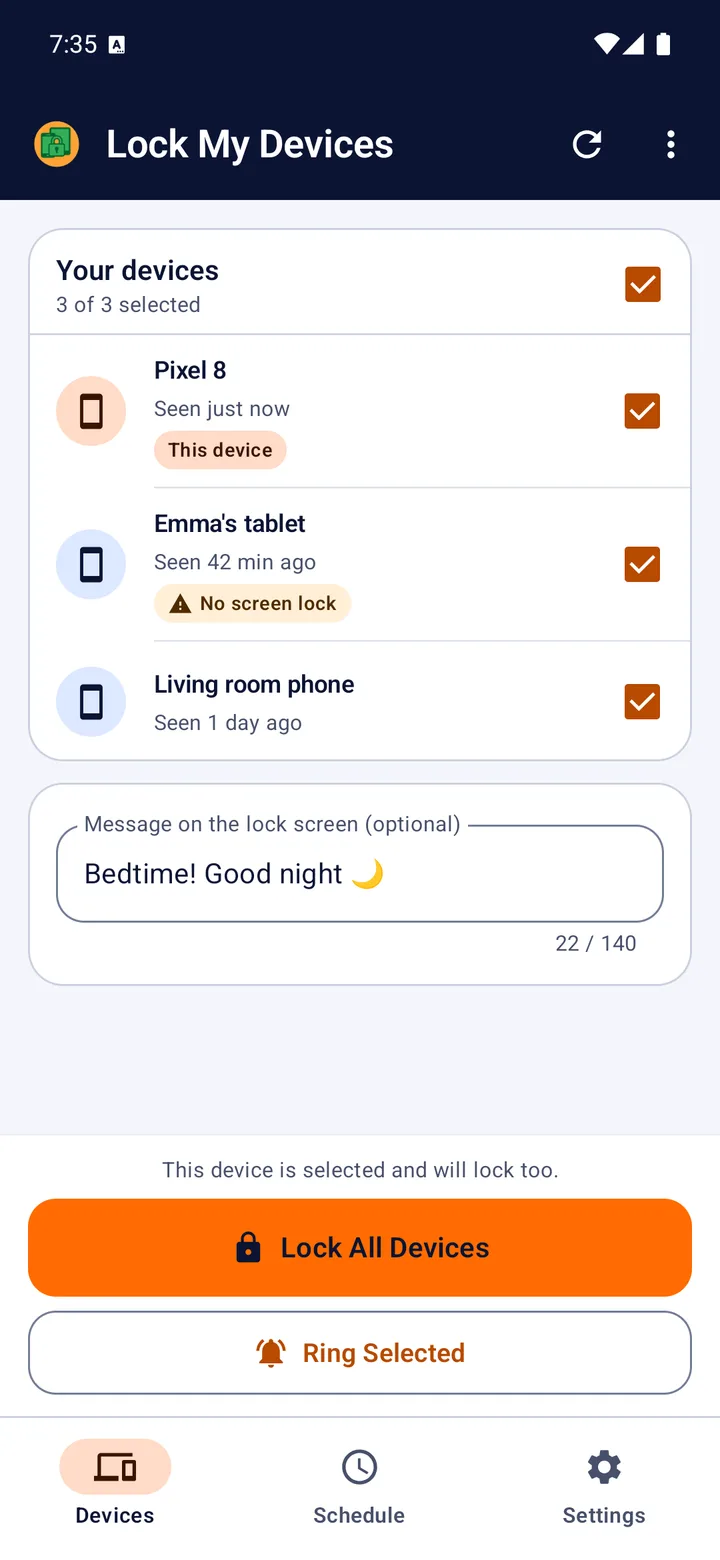
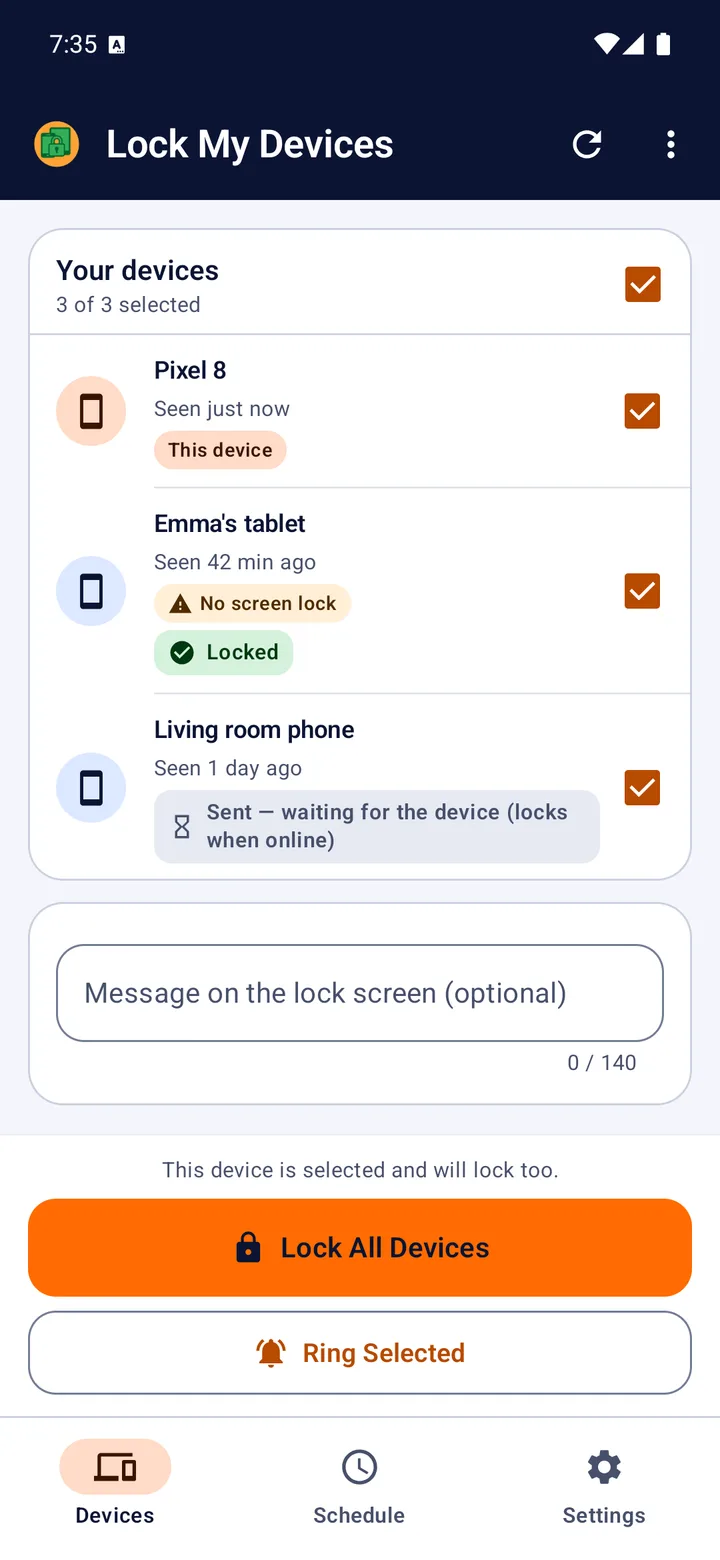
Your user code links your devices together. On the Devices tab, tap Lock All Devices — or select some and tap Lock Selected. Each device reports back, so you know it’s really locked.

  • Every device is listed with its name, when it was last online and a “No screen lock” warning
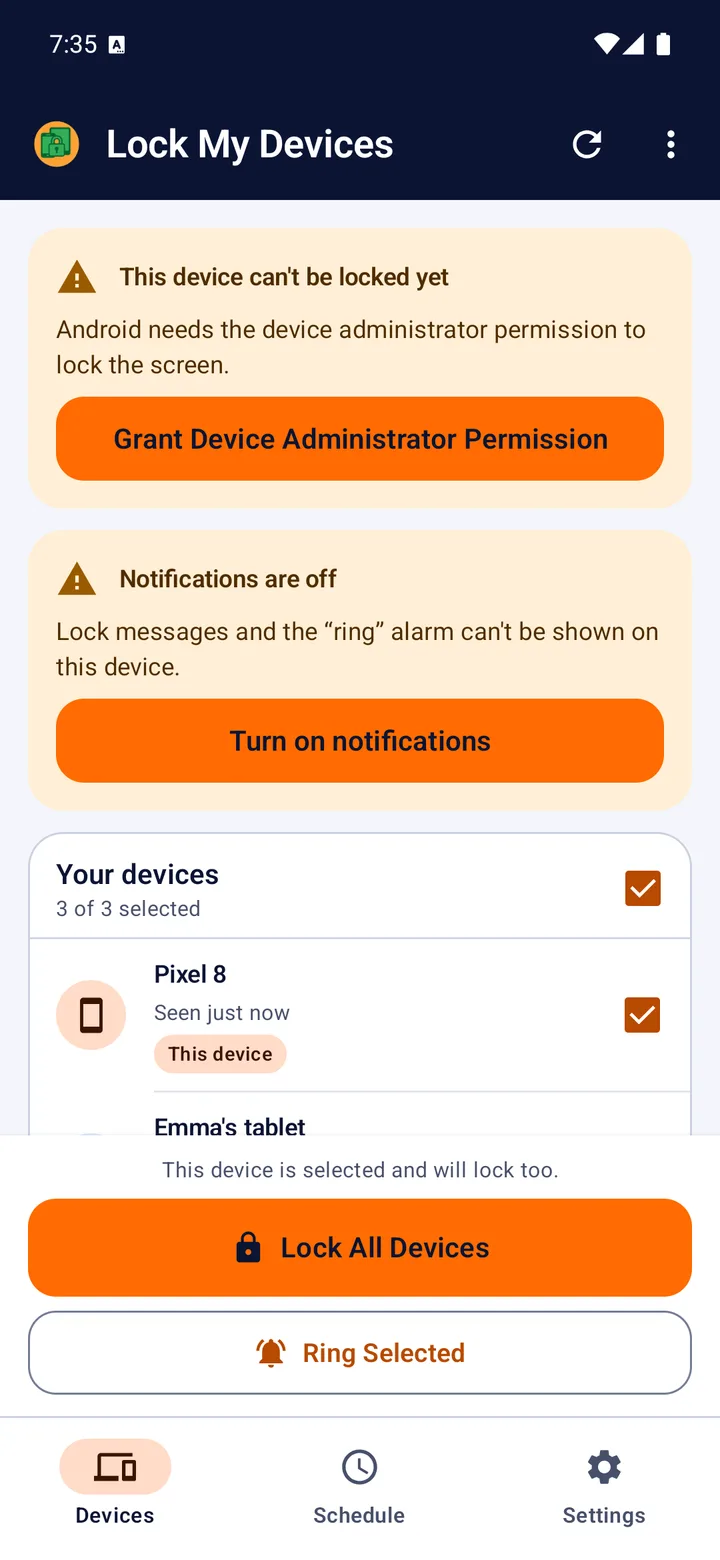
  • Statuses: Locked, Sent — waiting (locks when online), Screen off — no screen lock set, Not locked — lock permission is off, Ringing, Not delivered
  • If the device in your hand is selected, it locks too — the app asks you to confirm first
Lock My Devices app screenshot: Lock from the website

Lock from the website

When none of your devices is at hand, open the lock page in any browser and enter your code. Choose devices, pick Lock or Ring, add an optional message and watch each device’s status live.

  • Any computer, phone or tablet with a browser
  • Hold-to-confirm prevents accidental locks
  • Code is not stored; requests are rate-limited, with a short human check after many wrong codes
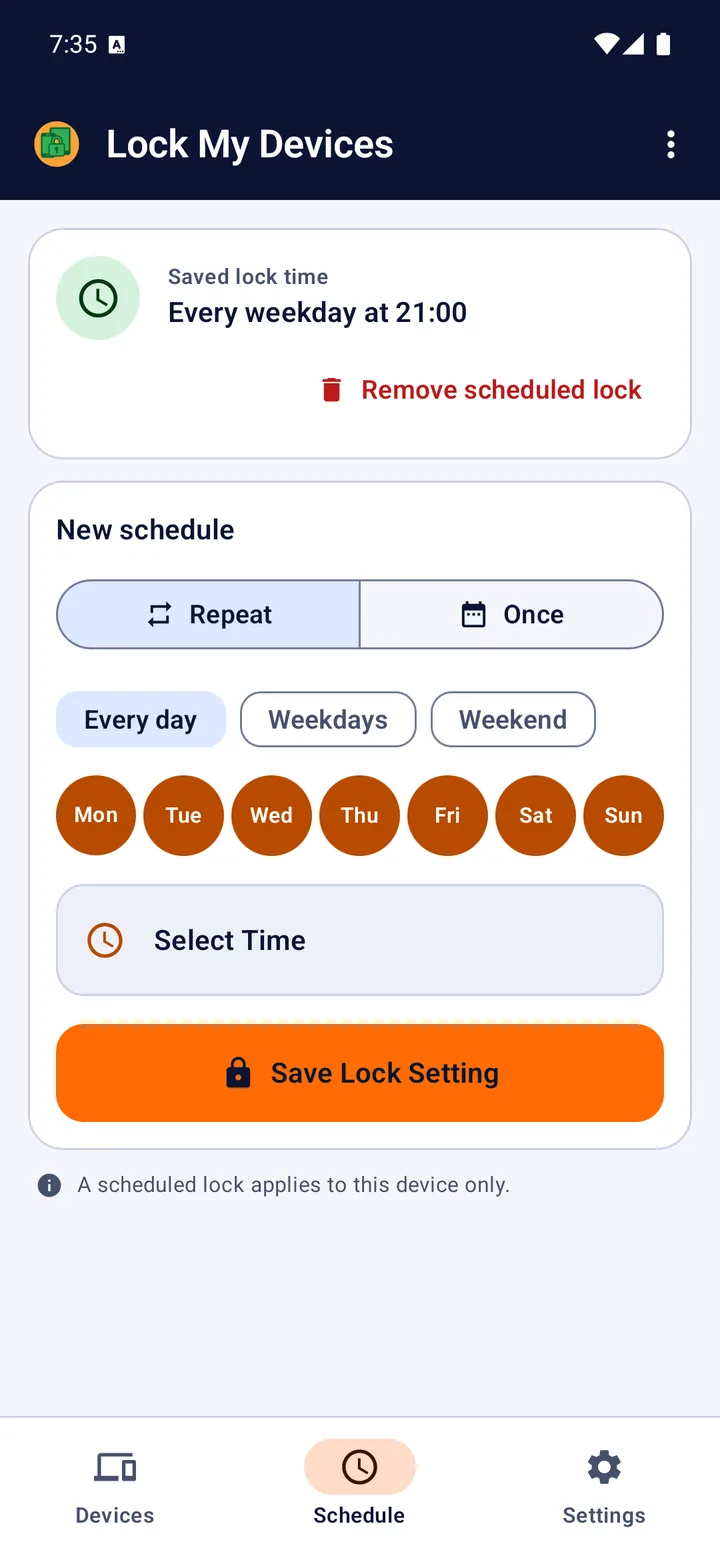
Lock My Devices app screenshot: Scheduled lock — once or repeating

Scheduled lock — once or repeating

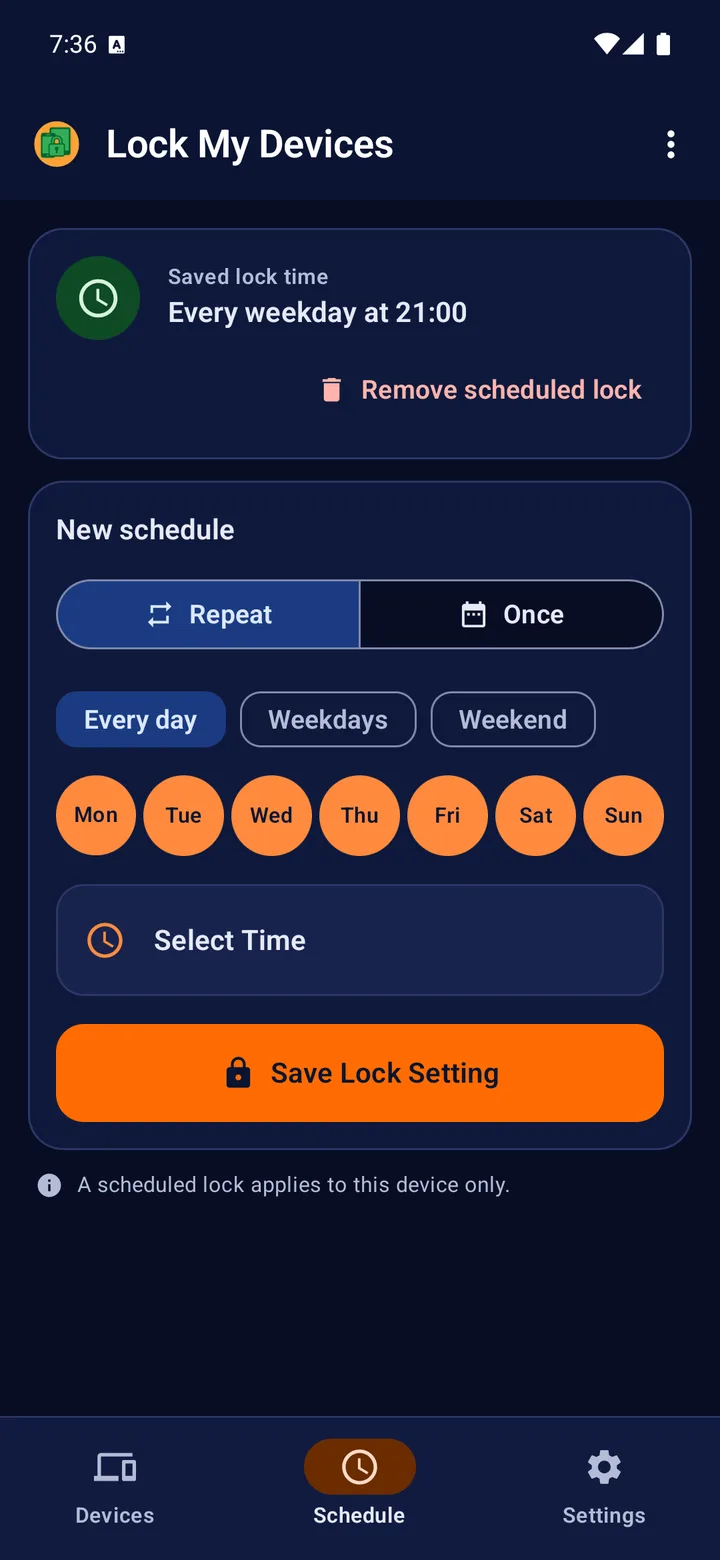
On the Schedule tab, choose Once and Select Date and Time, or Repeat — every day, weekdays, weekend or days you choose — and Select Time. Then tap Save Lock Setting. Android’s exact alarm locks the device right on time.

  • Works without internet and is restored after a restart
  • Applies to the device where you set it
  • Needs Android’s “Alarms & reminders” permission
Lock My Devices app screenshot: Ring a device and leave a message

Ring a device and leave a message

Tablet lost under a cushion? Select it and tap Ring Selected: it plays a loud alarm for up to a minute, even on silent unless Do Not Disturb blocks alarms. Tap Stop on the device to silence it.

  • Optional lock-screen message of up to 140 characters, e.g. “Bedtime!” or “If found, please call …”
  • Every remote lock notification says where it came from: another device, the website or the schedule
  • Works even with notifications off; allow them for messages and the full ring. Ringing does not show the location
Lock My Devices app screenshot: Biometric protection for the app

Biometric protection for the app

Lock My Devices asks for your fingerprint, face or device screen lock before it opens, so nobody else can change your code or settings.

  • Uses Android’s BiometricPrompt
  • No biometric data is stored or shared by the app
  • Falls back to your PIN, pattern or password
Lock My Devices app screenshot: Minimal, transparent permissions

Minimal, transparent permissions

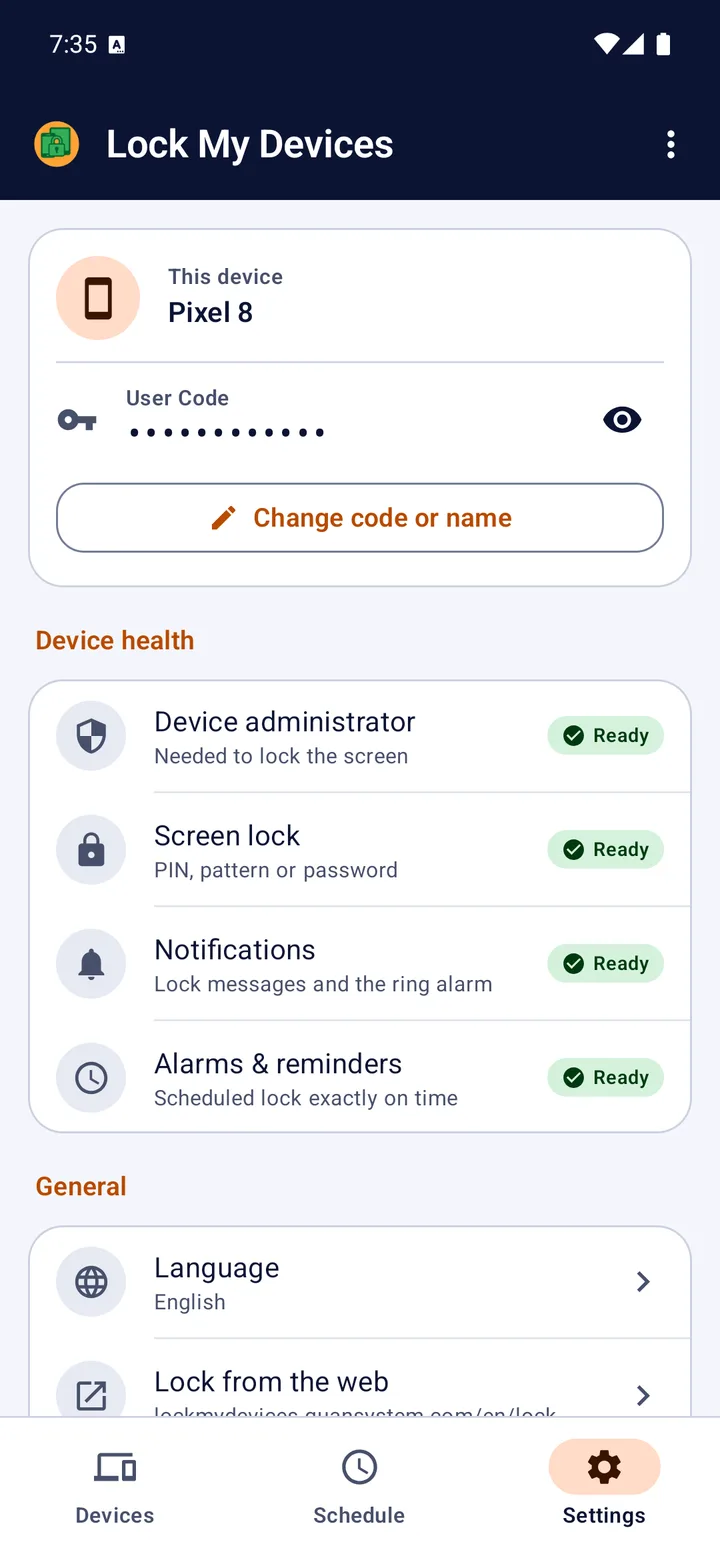
The device administrator policy is limited to a single right: force lock. The app cannot wipe data, change passwords or watch what you do. The Settings tab shows at a glance whether everything is set up.

  • Device admin: “force-lock” only
  • Checklist: device administrator, screen lock, notifications, alarms & reminders — Ready or Fix
  • Internet only to register the device and receive commands
Lock My Devices app screenshot: Named devices, fresh design, five languages

Named devices, fresh design, five languages

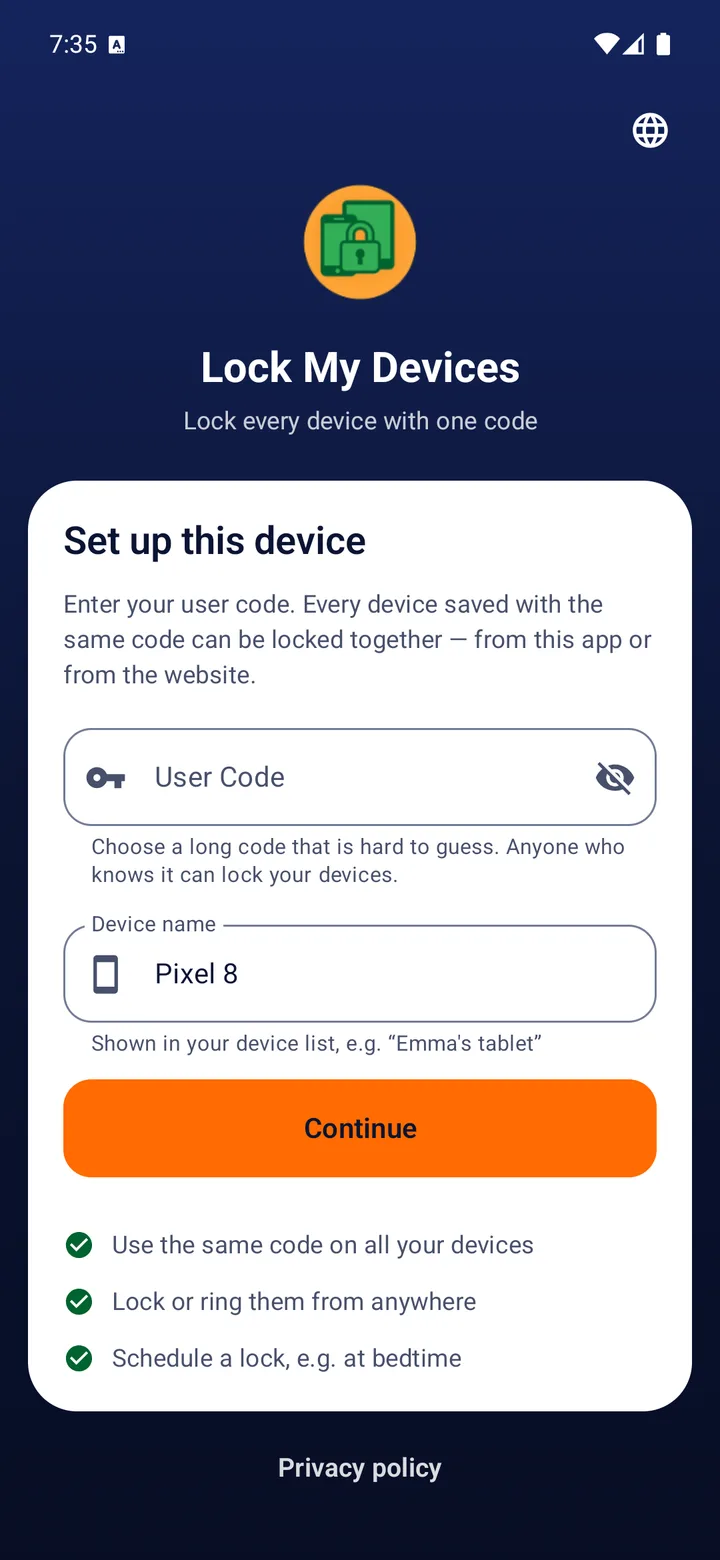
Give each device a name such as “Emma’s tablet” so it’s easy to pick from the list. The app has a new design with light and dark theme and speaks your language.

  • App in English, Turkish, German, Spanish and Hindi, with an in-app language picker
  • Light and dark theme
  • Quick links to the website lock page, privacy policy and rating the app

Protect your devices before you need to

Install Lock My Devices on every phone and tablet today — setup takes just two minutes.